You all now have test account access to the new Translation Tool, as shown in the business meetings two weeks ago
I have created temporary SNOMED extensions for you to play in. Please access the user test environment here: https://uat-simplex.ihtsdotools.org/
If you do not know the password for your test account use the “Forgot Password?” button.
A reminder that the current automatic translation feature is designed for new translations but it should still give you a chance to get the feel of what it can do.
Feel free to post your feedback or questions in this thread, or email if you prefer kke@snomed.org. We will also set up a call to talk through your feedback in the next few of weeks.
Thank you for volunteering to collaborate in this translation tooling development. We couldn’t do it without you!
Thank you for the test accounts. I really like the AI translation feature. It will save us a considerable amount of time on our translation and quality control tasks.
The translation interface is interesting, but I did notice a few usability issues during testing.
I don’t know if it was scheduled or something like that, but, with @AnnDo we were not able, today, to access previously created sets. They were available to test and to work on during previous days, but not today.
Is this something that was planned ? Can we do something about it ?
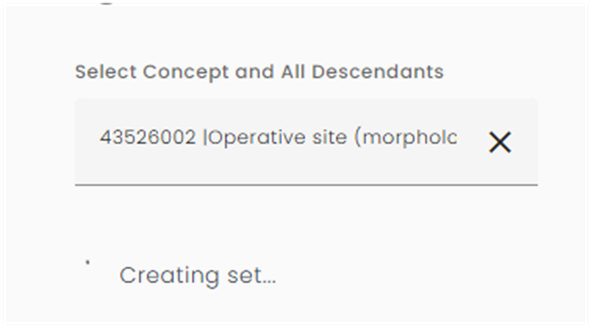
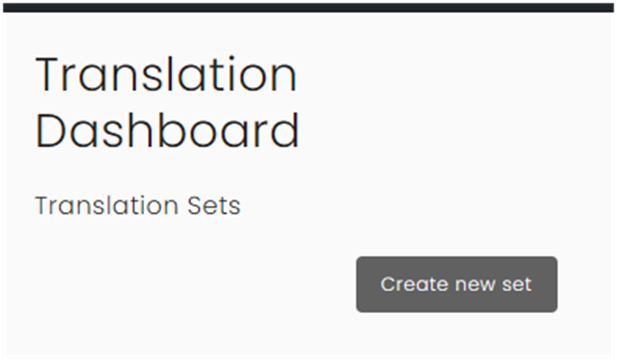
Below, some screenshots to illustrate were we encountered errors.
From the error messages, it seems that the previously created sets were not erased, but maybe just permission to access it that maybe “broken” or kind of ?
I assume that, since one error message tells us, when we try to create a new set, with the same label as a previously created, that there is a conflict with an existing set that already has this name .
Thank you for the functional feedback, that’s good news!
Thank you also for letting me know the test Translation Tool had stopped responding. It is available again now, we will diagnose the issue to try to prevent further outages. Your translation sets are now accessible again.
Thank you very much for letting us test this great New Translation tool — I really like it as well, it has very helpful features, including the AI training translation option.
I have a few quick questions, though I apologize for the partial feedback as the tool currently appears to be under scheduled maintenance ?
To view only the concepts from the current task (and not all SNOMED CT concepts), does this require a boolean (as shown below) ?
Also, I wasn’t able to understand what the Position and Priority filters — and the ones below them — are meant to do.
2. I’ve noticed that the AI suggestion feature also runs on terms that were already translated in the past, but we cannot see this indication anywhere (i think).
3. Finally, when exporting the translations, is it expected that the export includes everything —translated terms (needs editing / waiting for review / approved) and untranslated terms ?
Just in case, my feedback may not fully reflect the latest version of the tool. My apologies.
Today, I have the same error messages, whether when I try to continue work on a previously created translation set or when I try to create a new translation set.
Hello Kai, would it be possible to give me access (Marjolaine Gagnon - Canada’s NRC) to the translation tool testing environment? Right now, my colleague Julie Boutin has access, but as we work together for translation, I would need to test the tool on my side. Thank you!
Yes, you are correct that “AND” is required when using the filters. This is because there is a hidden filter already applied to select the concepts of the translation set using a label.
The Position and Priority filters do not look useful to me, these are part of the standard Weblate tool that our Translation Tool is based on. Perhaps we should remove them to avoid confusion. I will review the set of filters available.
These UAT Test accounts have been created as blank extensions, we have not imported any already translated content. This is because the features implemented so far focus on new translations. The batch AI feature will only translate content that is not translated yet in the Translation Tool but you are starting with a blank translation. I hope that makes sense.
Early next year we will deploy new features for maintaining existing translations, for example translating the new concepts within a translation set. At this time we can import any existing translations for further testing.
At the moment the export includes everything in status “Waiting for review” or “Approved”. It does not include concepts marked as “Needs editing”. Do you think it would be useful to have the option to choose which statuses should be included in the export? I think sometimes including “Waiting for review” concepts might be okay, but sometimes you may only want the “Approved” ones, it might depend on your workflow?
We are still shaping the features so your feedback is very helpful!
Hi @kkewley , with @AnnDo we created 3 instances of a specific set, with the same “definition”, via ECL input method => a concept and all descendants + we tried with manual ECL input (same logic) and these implied sets seem to be kind of “blocked” with status processing, since a few weeks for the first created set and a few days for the other.
We didn’t find the possibility to test the translation, going through first batch, adding more golden examples, adding some rules in the AI-prompt, etc.
Hi @lbilliet , I’m sorry your sets got stuck. Creating a set of a few hundred concepts should only take a minute or two. I deployed a new version of the tooling to UAT last week which makes set creation more stable.
I took the liberty of removing your stuck translation sets and recreating another one. Creation completed within a minute. Please let me know if it happens again!
Finally had some time to test out the tool, thank you very much for your efforts @kkewley
I definitely agree with many of the points that Maëll raised.
Regarding my specific feedback, I have some pointers:
I miss the ability to distinguish between an FSN and a PT, which we for example do with magnetic resonance imaging/MRI in the Dutch extension.
I think it would be helpful to include the ability to generate AI translations for synonyms as well.
I think the tool would benefit from being able to select concepts based on words used in their (translated) FSNs and synonyms without ECL queries (in the same way it functions in Managed Service). Especially when it comes to revising translations, it is very helpful to select concepts based on the terminology that we have used. Terms used can quickly become outdated. And I think not all people that would use this software would easily work with ECL queries.
Some things that I especially liked:
Being able to see a list of related concepts with their translations that you made previously.
The check for reused translations, that really makes sure that no duplicate descriptions are added into managed service.
With the right prompts and input, the AI translations are quite accurate and I like the ability to refine them. I did find that the golden standards did more for the results than the prompts, but perhaps that is my own caveat since I’m not trained in AI prompting when it comes to translations.
I think the ability to select a concept’s descendants is really helpful, when revising an entire ‘tree’ if the modelling is accurate and consistent.
I’m looking forward to testing the tool some more soon!
@mvandenberg This is really valuable feedback! Thank you so much for taking the time to do some thorough testing and to provide this specific and constructive guidance.
All feedback will be collected and used during our next internal review and planning session.
Already on the immediate roadmap are:
The ability to import existing translations into the Translation Dashboard and Translation Tool
Integration with SI Managed Service
I really like your suggestion of creating synonyms using AI! This is something I have been considering too although it will need to come later once the core features are more solid.